10 Ağustos 2018 Cuma

Fix iPhone Reminders Not Working in iOS 11.3

How to Fix iPhone Reminders Not Working in iOS 11.3
Tip 1. Check Reminder Settings

Sometimes you fail to hear the reminder because you’ve set the reminder alert to none. Check that before we move on to more invasive solutions. Here’s how you can do that;

Step 1: Go to Settings and then tap on “Sounds”.

Step 2: Scroll down to find “Reminder Alerts” and tap on it.

Step 3: if the reminder is set to “None” select one of the many alert tones available and the next time your reminder “reminds” you to do something you’ll actually hear it.


Tip 2. Turn Off Reminders App from iCloud

You can also try turning off the reminders in iCloud and then turning it back on. This usually has the effect of removing some bugs that may be causing the reminder app too behave abnormally. Here’s how to do this;

Step 1: Go to the Setting app and then tap on iCloud.

Step 2: Find “Reminders” and toggle the switch to “Off.”

Step 3: Wait a few seconds and then turn it on again.


Tip 3. Remove Reminders from Widgets Notification

You can also try to remove the Reminders app from the widget notification. Here’s how to do that;

Step 1: Scroll down from the top of the screen until you see the “Edit” button appear.

Step 2: Tap on this “Edit” button and you’ll see the “Reminder” app in the list of apps.

Step 3: Tap on the red (-) next to it to remove it.


Tip 4. Restore iPhone to Factory Settings

It may seem like an extreme measure to take but if none of the other methods above have worked, you may need to reset your iPhone to factory settings. This means that you’ll erase all the contents and settings on the device. The reason it works is becauseyour Reminders could be affected by a small setting that you may not be able to find. Erasing the settings and contents may be the only way to remove this problematic setting and get your device working normally again. Here’s how to restore an iPhone to its factory settings;

Step 1: Open the settings app on your device.

Step 2: Go to General and then tap on “Reset”.

Step 3: Now tap “Erase Contents and Settings.”

If you had a backup, you can set up the device and restore it from that backup.


Tip 5. Restore Your iPhone System

You could also try to restore the device from an iTunes backup. This process has been known to work for just about any problem your device may be exhibiting. Here’s how you can do that;

Step 1: Connect the iPhone to the computer using USB cables and then launch iTunes.

Step 2: Click on “Summary” and click “Restore Backup” when the option appears.

Step 3: Click “Restore” and if you’re restoring from an encrypted backup, you may need to enter your password.


Gihosoft Total Video Converter is a professional all-in-one video tool that enables you to convert videos and audios into various different formats. You can also download videos from YouTube or other online video sharing sites and convert them easily. Plus, you’re able to personalize your videos with its inbuilt editor, such as, trimming, cropping, applying video effects, adding watermark, subtitles, and more. If you need a powerful and professional desktop video converter program, just download Total Video Converter and follow the step-by-step guide here to have a try.


Jihosoft Android Data Recovery: the best Android Data Recovery software for Windows and Mac to recover deleted contacts, messages, photos, videos, WhatsApp and etc from Android devices.
Gihosoft Free Android Data Recovery can help you easily recover lost data such as photos, videos, contacts, text messages, WhatsApp & Viber chats from Google Pixel/XL or other Android phones effortlessly.


If you lost videos from iOS Camerall Roll which are nowhere to download again, you can use Gihosoft iPhone Data Recovery to get back deleted videos from iOS device including iPhone, iPad and iPod Touch.
Any app suggestions or topic recommendations are appreciated in the comments down below.


5 Ağustos 2018 Pazar

Top 5 Pregnancy Tracker Apps for iPhone and Android 2019

Top 5 Pregnancy Tracker Apps for iPhone and Android

There are different pregnancy tracker apps which are helpful to track the growth of your baby. These apps are not an alternative to scientific tests but can help you to spend a good time during pregnancy. Different pregnancy apps allow you to use various features and you would track the baby growth and necessary information. These apps help you understand your diet needs and also allow you to connect with others, which you can take different benefits from.
Top 5 Pregnancy Tracker Apps to Download in 2018

Have a look at the following best pregnancy tracker apps for iPhone and Android to track your pregnancy.
1. Pregnancy +

It is an excellent app which is on the list of best pregnancy tracker apps. You can effortlessly download and install this app too for your Android and iPhone. You can take help from the excellent and amazing visuals of babies and can understand the situation. Using this app, you are going to track everything.


You can see the different useful images and messages after each week and help you to spend considerable time to help your baby. Additionally, there are various tools which are helpful to understand your baby moments in your body.

Get Pregnancy App for iOS Get Pregnancy App for Android
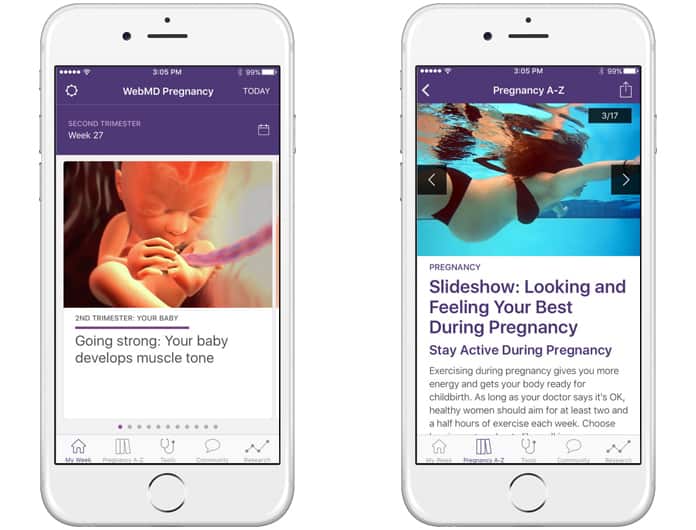
2. WebMD Pregnancy

It is a great pregnancy checker app which is well known all across the world. It can quickly and truly access the growth of your baby on a weekly basis. You can check the condition and can learn different values about your baby moments. Also, you are free to see different pregnancy photos to spend happy and relax images.


You can also allow viewing the different sections of different pieces of advice about pregnancy. These sections are helpful and try to provide you with a lot of success. You can easily get this app for iOS and start right now.

Download WebMD for iOS
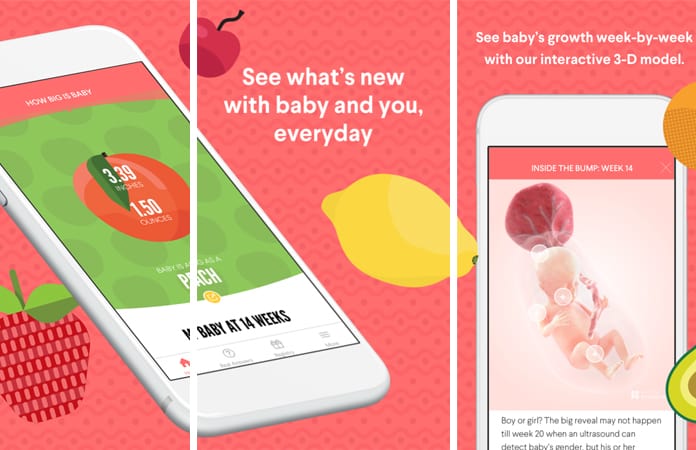
3. The Bump – Pregnancy Countdown

It is a great pregnancy tracker app which is useful and updated on a regular basis. You will get different researches and articles which can help you to know everything about your different pregnancy stages and time duration.


This app is lovely and provides you 3-D visuals of developing a baby. You will get new things and sources every day to track the development of your baby and the changes in your own body.

Get The Bump for iOS Get The Bump for Android
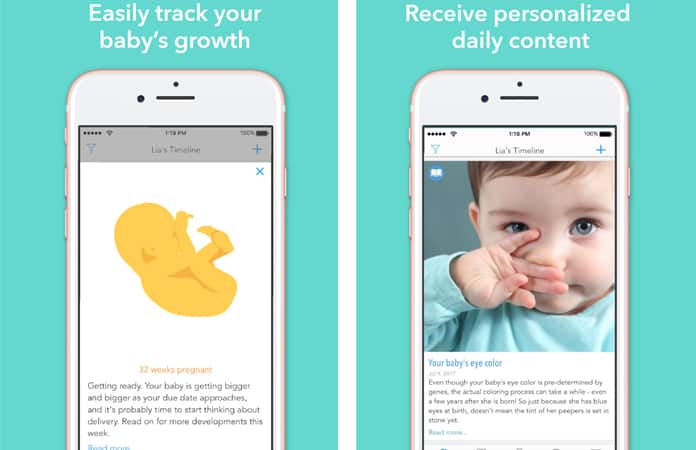
4. Ovia Pregnancy Tracker & Baby Countdown Calendar

It is another app which is used for tracking the pregnancy and spend good pregnancy time. This app allows you to keep in touch with other moms and also can ask different useful questions to other expected moms and experts.


You would see different visuals representing the growth stages of the baby. In short, this is the best community app allowing you to know everything about the development process of your baby.

Get Ovia for iOS Get Ovia for Android
5. I’m Expecting Pregnancy App

This is a great app which provides you with everything of your interest related to your baby. Your baby is your love, and this app offers you every kind of information about your baby. You can also search and find different names from the database of this app.


It will help you to find the best name for your baby. You can also see different visuals and baby growth positions.

Get Pregnancy App for iOS Get Pregnancy App for Android

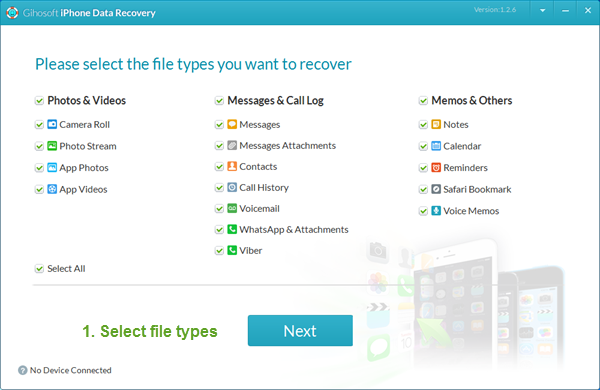
Also, don’t worry if you accidentally lost any important photos or messages with your families or friends during your pregnancy, you can easily recover the lost data on your iPhone or iPad with the professional tool Gihosoft iPhone Data Reocvery.

Pregnancy tracker apps can be really fun and effective when it comes to tracking you and your baby’s growth. So which one of these did you liked the most? Share your experience of your baby growth tracking with these apps, or leave other good app suggestions in the comment section below.

Gihosoft Mobile Transfer: 1 Click Data Transfer from Phone to Phone Gihosoft Mobile Transfer is a powerful phone to phone transfer software lets you easily transfer contacts, music and more between mobile phones.

Any app suggestions or topic recommendations are appreciated in the comments down below.